
Monthly
One device$2.99/ month
- 1 device
- All updates included
- Cancel anytime
A smooth, focused screenplay-writing tool built for independent writers — professional or hobbyist. SceneMason handles the formatting and workflow while your screenplay stays on your own computer.
Offline writing. Local files. Room to think.
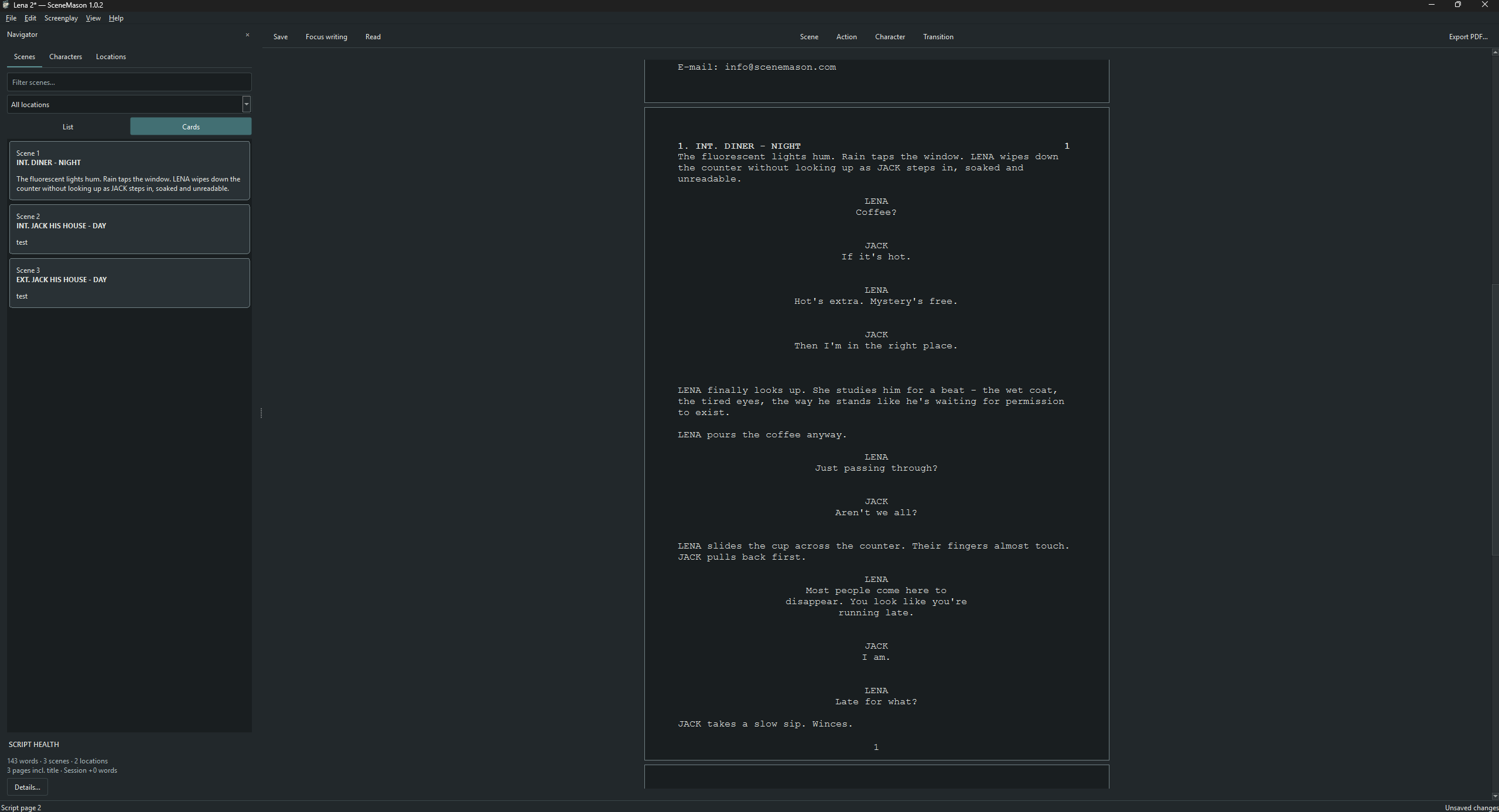
Screenplay elements and keyboard shortcuts that follow your writing rhythm.
Scenes, characters and locations, connected to the page you’re working on.
Move from scene headings to action, character cues, dialogue and transitions without taking your hands off the keyboard. SceneMason applies the screenplay formatting as you write.
Write locally, work offline and keep your screenplay off the cloud. Automatic backups and recovery copies quietly protect the draft in the background.
01 / The writing
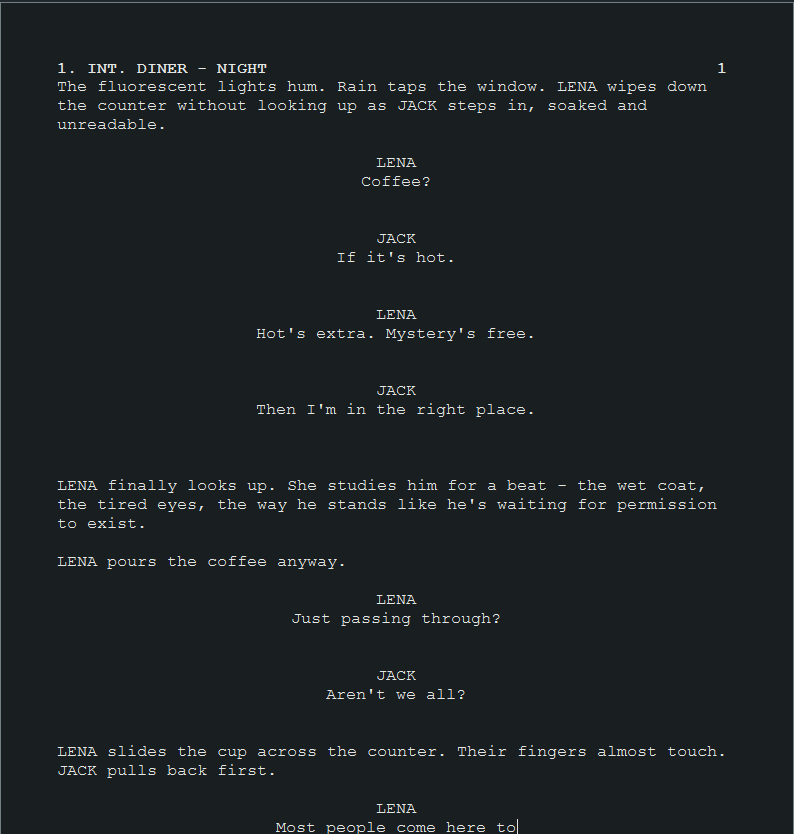
Move from a scene heading to action, a character cue, then dialogue. SceneMason handles the element formatting while you work out what happens next.
SceneMason remembers your characters and locations and suggests them as you type. INT./EXT., DAY/NIGHT, transitions and character suffixes are all available directly from the keyboard.
Built-in offline English spellcheck highlights potential mistakes and offers suggestions while you write. Your screenplay stays on your computer.
02 / The bigger picture
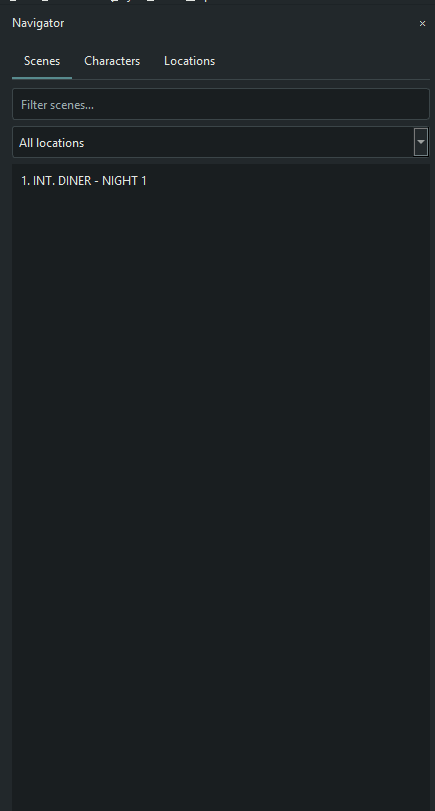
Jump to any scene, follow a character’s appearances, or see the locations your story returns to. The Navigator keeps even a long screenplay organized and easy to move through.
03 / WORKSPACE
Hide the Navigator and writing bar. Keep editing, with the screenplay in front of you.
Step into fullscreen, read-only mode. Escape returns you to Draft and your previous window.
Light or dark. Optional typewriter scrolling. Your writing environment.
04 / Your work, kept close
Write offline. Save locally. A cloud writing platform doesn’t have to sit between you and your draft.
Choose where your .sm screenplay lives. Open it again from Recent, and keep writing on your computer.
If your subscription ends, your existing screenplays remain yours. You can still open them, read them and export them to PDF.
Atomic saves, rotating local backups and quiet recovery copies help protect the work between drafts.
Export a PDF with page numbers and an optional watermark when it’s time for someone else to read.
Your screenplay content stays local. An internet connection is required for initial activation and periodic subscription verification; normal writing works offline between checks.
A simple subscription
Both plans include the complete application and all updates. Choose based on billing and device count.
Try SceneMason free before you subscribe. No separate download required.
Native desktop software for Windows.
$2.99/ month
$24.99/ year
Save $10.89 against 12 monthly payments.
Choose the plan that works for you.
Yes. SceneMason is offline-first. Initial activation requires an internet connection, and SceneMason periodically verifies your subscription. You can write offline for up to five days after the last successful verification.
SceneMason saves local .sm files in the folder you choose on your computer. Local recovery copies and backups provide additional protection; they don’t replace your manual saves.
SceneMason’s writing workflow keeps screenplay content on your computer and does not require cloud screenplay storage. License verification communicates with Lemon Squeezy separately and does not send your screenplay content.
On a previously activated installation, you can still open, read and navigate existing screenplays and export them to PDF. Editing and creating screenplays require an active subscription. The same read/export mode applies if online verification is overdue.
The Monthly plan supports 1 device. The Annual plan supports 2 devices. Both include the same screenplay-writing tools.
You can cancel your recurring subscription. Both plans include the complete application and all updates. Choose based on billing and device count. Billing details are available at checkout.
SceneMason can check for new versions and securely download updates when you choose to install them. Downloading and installing an update always requires your approval.
The initial release is a native Windows desktop application. No macOS or mobile version is being offered.